

troubleshoot email delivery in a Gmail enterprise account
When you have a Gmail enterprise account, email deliverability is vital to your business. But sometimes, you may encounter issues with your emails that can be hard to troubleshoot. For example, you might be getting a 421 error code or your email could be blocked entirely by Gmail. There are a few common reasons why this might happen and what to do about it.
When your recipients report your gmail enterprise account as spam, it can cause your entire organization’s email communications to be blocked by Gmail. To prevent this from happening, you need to keep your spam complaint rate low and ensure that your email campaigns are not violating any of Google’s Bulk Sender Guidelines.
To protect users from being overburdened by unwanted emails, Gmail limits the number of emails you can send each day. This includes the number of unique email addresses you can email and the maximum size of your message. You can find more information about these limits in Gmail’s bulk email policy. If you exceed the maximum number of email addresses or file size, your email might be sent to a spam folder or bounced. This can also cause your delivery rates to decrease.
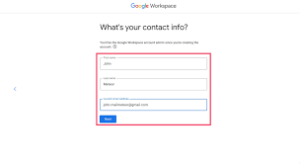
How to troubleshoot email delivery in a Gmail enterprise account?
If your email campaign receives an overwhelming amount of spam complaints, your IP or domain might be placed on a blacklist by one of the major vendors such as Spamhaus, Barracuda and Microsoft. This will not only reduce your email deliverability, but it might even nullify all of your future marketing efforts. The best way to avoid this is by keeping your spam complaints low and using a trusted third-party solution such as Smartlead to bypass Gmail’s limits.
If you’re able to send email out of your Google Workspace email but can’t receive any emails, it’s likely that your MX records are not set up correctly. To fix this, you need to contact your web host or the person who set up G Suite for you and ask them to check and adjust your MX records.
Gmail Enterprise is known for its robust security framework. Google employs advanced encryption to safeguard data during transmission and at rest. Additionally, built-in phishing and malware detection systems help prevent unauthorized access and cyber threats. Features such as email authentication protocols, including SPF, DKIM, and DMARC, ensure that incoming and outgoing messages are protected against spoofing and impersonation attempts. These security measures are essential for maintaining the integrity of business communications.
Collaboration is a standout feature of Gmail Enterprise. The platform integrates seamlessly with other Google Workspace tools, such as Google Docs, Sheets, Slides, and Google Drive. Team members can co-edit documents in real-time, leave comments, and make suggestions, fostering collaboration without the need for multiple email exchanges. Gmail’s integration with Google Chat and Google Meet further enhances teamwork by providing instant messaging and video conferencing capabilities directly from the email interface.
Navigating the complexities of email deliverability is no easy task and there are many factors that can impact whether your messages reach the inbox or get rejected. However, if you know what to look out for and the steps to take, you can quickly troubleshoot the issue and make sure your messages get where they belong.